
The first time you submit a camera-ready paper to a major conference like CVPR or ICASSP, you discover that the phrase “camera ready” is a misnomer from the days of photographic film. By the mid-2000s, the process had become a digital gauntlet of PDF settings, font embedding checks, and copyright forms. Missing a single requirement could mean your accepted paper was simply omitted from the proceedings. This article walks through the real, often frustrating, guidelines that defined the camera-ready stage in the academic pattern recognition, speech, and computer vision communities during that era.
Why Camera Ready Existed
Conference proceedings in the mid-2000s were still printed in physical volumes, though digital distribution via CD-ROM and early online libraries (IEEE Xplore, ACM Digital Library) was growing. The term “camera ready” originally referred to the final typed manuscript that was photographed directly for offset printing. By 2005, the workflow was almost entirely electronic: authors uploaded a PDF, the publisher ran preflight checks, and the PDF was used both for the printed book and for the digital archive. However, the standards were strict because any formatting error would propagate to both media.
Core Requirements That Surprised Many Authors
The typical camera-ready guidelines for a mid-2000s pattern recognition or speech conference included several non-negotiable items. Below is a list of the most common ones, drawn from actual author kits of the period (e.g., ICPR 2006, Interspeech 2007).
- PDF format only – usually version 1.4 or higher, created from a single source file. No PostScript, no Word .doc.
- All fonts must be embedded and subsetted – especially TrueType and Type 1. Missing fonts caused garbled text in the printed book.
- Page size exactly US Letter (8.5×11 inches) or A4, depending on the conference. Margins were often specified in inches to the hundredth.
- No hyperlinks that change appearance – visible URL strings were sometimes allowed, but blue underlined links were forbidden because they printed as gray blobs.
- Color images must be converted to CMYK or grayscale – RGB images looked washed out in print.
- Resolution of figures: at least 300 dpi for photos, 600 dpi for line art – low-resolution screenshots from early MATLAB figures were a common rejection cause.
- Copyright form signed and uploaded separately – often a scanned PDF of a physical form with a wet signature.
- Page limit strictly enforced – typically 8 pages for a full paper, sometimes 6 for a short paper. No extra page allowed even for references.
The LaTeX vs. Word Divide
In the mid-2000s, the pattern recognition and speech communities overwhelmingly preferred LaTeX. Conferences provided LaTeX style files (e.g., cvpr.sty, icassp.cls) that enforced font size, column width, and heading styles. Microsoft Word users were often left to manually replicate the template, which led to frequent margin violations. Many author kits included a note: “Word users must ensure that the document is converted to PDF using the conference’s recommended settings – do not use ‘Print to PDF’ from the browser.” The recommended tool was Adobe Acrobat Distiller with a specific job options file (.joboptions) that embedded all fonts and set resolution.
One notorious issue was the handling of vector graphics. LaTeX users could include encapsulated PostScript (EPS) figures, which were then converted to PDF during the dvips + ps2pdf pipeline. Word users inserting .wmf or .emf files risked font substitution. The safest practice, recommended by conferences like ECCV 2006, was to convert all figures to PDF directly from the drawing software (Illustrator, Inkscape) and then insert them as PDF images.
Preflight Checks and the Author’s Nightmare
Conferences in the mid-2000s started using automated PDF validation tools. One common tool was Adobe Acrobat Preflight (part of Acrobat Professional) with custom profiles provided by the publisher (e.g., IEEE PDF eXpress). Authors would upload their PDF, and the system would return a report listing errors: non-embedded fonts, RGB images, transparency not flattened, etc. The report often included cryptic codes like “PDF/X-1a:2001 compliance required” – a standard for print exchange that few authors understood.
A typical error report from CVPR 2005 might read:
- Font ‘TimesNewRomanPSMT’ not embedded (used on page 3, line 12)
- Image on page 5 uses RGB color space – convert to CMYK
- Page size is 8.5×11.0 inches but trim box is undefined
- Transparency group on page 2 – flatten before submission
Fixing these issues often required re-exporting the PDF from the source document with corrected settings, then re-running the preflight. Many authors learned the hard way that the “Save as PDF” option in Microsoft Word 2003 did not embed all fonts. The recommended workflow was to print to a PostScript file using a PostScript printer driver, then distill that .ps file with Acrobat Distiller using the conference’s .joboptions file.
The Copyright Form: A Physical Ritual
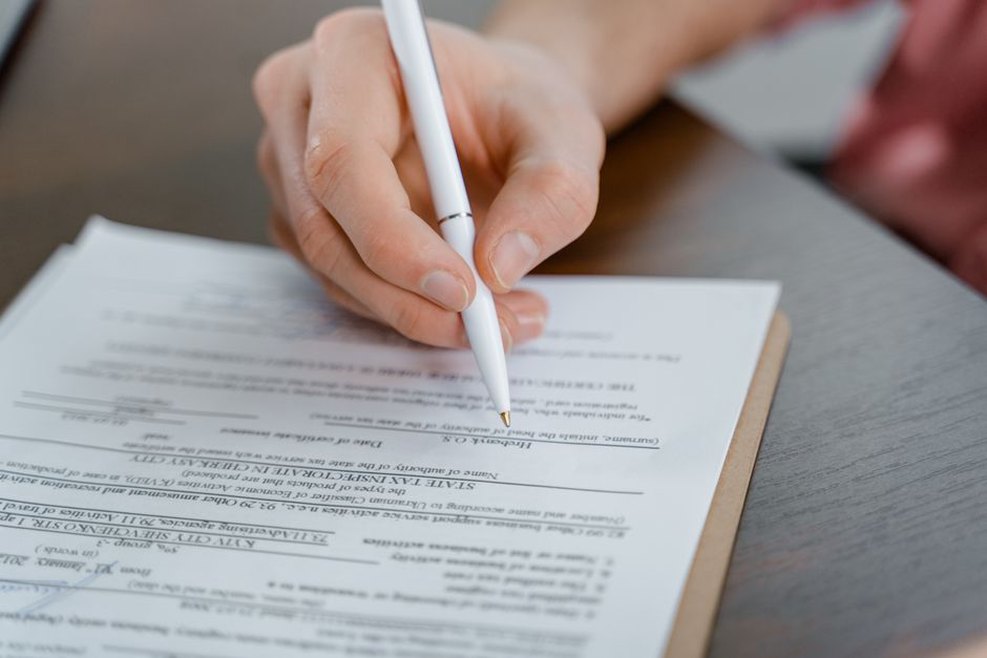
While the paper itself was submitted electronically, the copyright transfer agreement often required a physical signature. Conferences like ICASSP 2006 demanded that authors print the form, sign it with a pen, scan it to a single PDF, and upload it. The scanned signature had to be legible – not a bitmap from a low-resolution webcam. Some conferences allowed electronic signatures only after 2007, but in the mid-2000s, a wet signature was the norm. Losing the form meant the paper would not appear in the proceedings, regardless of acceptance.
Special Cases: Overlength Papers and Color Charges
Page limits were absolute. However, a few conferences offered the option to purchase extra pages – typically $100–$200 per additional page, up to a maximum of two extra pages. This was common in medical imaging conferences like MICCAI, where results required extensive tables. Color printing in the physical proceedings also incurred a fee. Many authors chose to submit grayscale figures for print and provide a color version in the digital supplement. The camera-ready guidelines would specify: “If your paper contains color figures, you must pay a color printing surcharge of $150 per page or convert them to grayscale.”
Tools and Workarounds That Became Standard
By the end of the decade, several practices emerged to avoid last-minute panic:
- Use the conference’s LaTeX template from day one – do not switch at camera-ready stage.
- Enable font embedding in the LaTeX preamble with
usepackage[T1]{fontenc}andusepackage{mathptmx}or similar. - Export figures as EPS or PDF from the plotting software, never as PNG or JPEG for line art.
- Run Acrobat Preflight locally before uploading to the conference system, using the exact profile provided.
- Check the PDF with a font inspector (e.g., pdffonts command-line tool) to ensure all fonts are embedded.
These guidelines, though tedious, ensured that the proceedings of major conferences like CVPR, ICCV, ICASSP, and Interspeech looked professional and were accessible for decades. The same PDF files that were printed in 2005 are still readable today in digital libraries – a testament to the care taken during the camera-ready phase.
One final detail: the deadline for camera-ready submission was almost always a fixed date, often two to four weeks after the acceptance notification. Late submissions were simply not included. I recall a colleague who, in 2006, uploaded his PDF at 11:58 PM on the deadline day, only to realize at 12:01 AM that the font embedding had failed because he had used a Macintosh version of Times New Roman that the conference preflight did not recognize. He had to email the program chair and beg for a five-minute extension. He got it, but only after promising to double-check the font list. That experience taught him to always verify with pdffonts before hitting “submit”.