
“Advancing intelligent systems” tells a visitor almost nothing about a research archive. Is it about speech synthesis, medical imaging, robotics, or consulting? A homepage should answer that question before someone has to inspect the menu. For a historical-technical blog, the opening can name the period, the fields, and the kind of material readers will find.
A polished page can still leave people unsure what the site covers, whether a listing points to an article or a service, and where to start. Those are editorial problems as much as design problems. The wording, grouping, and next steps all need to make sense to someone who has never seen the archive before.
1. The opening message is broad enough to fit any site
“Exploring the future of technology” and “Insights that matter” sound authoritative but could appear on almost any homepage. Someone searching for early language-identification research needs a clearer sign that they have reached the right place.
Try naming the subject in ordinary language: “Research histories of speech and visual recognition in the 2000s.” That gives readers a period and two fields. A supporting line can explain the format—accessible accounts of methods, datasets, evaluation practices, and applications—without listing every topic in the archive.
Precision also keeps the site from promising too much. “The history of artificial intelligence” suggests a much broader collection than one focused on mid-2000s academic recognition research. A narrower description is more useful when it matches the pages readers will actually find.
2. The page assumes visitors understand the site’s vocabulary
Researchers can distinguish object recognition, object tracking, stereo reconstruction, and document layout analysis at a glance. New readers may not. A label like “Visual inference” could hide all four; “Perception” might cover speech as well as images. Technical terms help when they identify a subject precisely, but they should not be the only clue to a section’s contents.
Pair a field name with concrete examples. “Computer vision: recognition, tracking, and 3D reconstruction” says more than “Vision.” If the menu needs shorter labels, put those examples beneath topic cards. A “Document processing” card might mention scanned pages, text extraction, and layout so readers do not mistake the section for one about word processors.
Handle historical terminology the same way. You can link to an article on computer-aided detection without expecting visitors to know the abbreviation CAD first. Define terms where readers need them to make a choice, rather than putting a glossary at the top of the page.
3. Navigation reflects the publication’s filing system, not readers’ tasks
An archive may file its material by conference, year, algorithm family, or internal series. Those are useful ways to study a collection, but they may not help a first-time visitor. Someone looking for speech technology developed for languages with little training data may have no idea which conference or method category to choose.
Top-level labels should offer recognizable routes. “Speech and language,” “Computer vision,” “Document analysis,” and “Research context” are plausible starting points for a historical-technical site. Conference names and dates can remain available as secondary filters for readers who want to use them.
Watch for categories that overlap so much that they force visitors to guess. If “Machine learning,” “Pattern recognition,” and “AI research” lead to much the same material, explain the difference or simplify the set. Not every paper has to fit neatly in one box. What matters is whether a reader can predict what clicking a label will show.
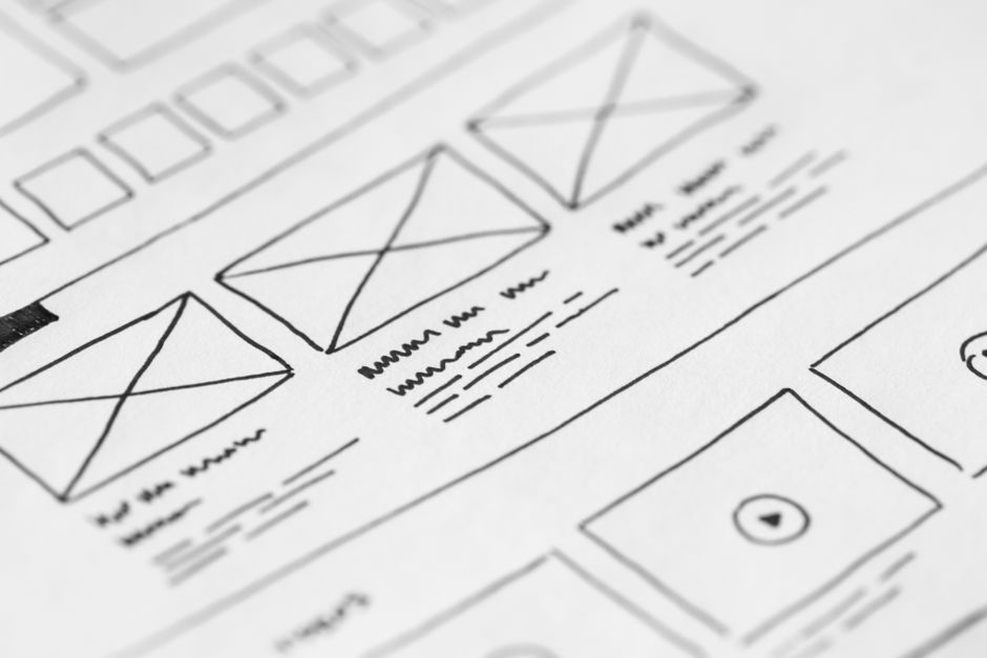
4. Every featured item competes for the same attention
A new article, newsletter prompt, topic grid, archive search box, and long editorial statement can all belong on a homepage. Give them equal prominence, though, and visitors have no way to tell which choice will help them first.
Set the order according to the page’s purpose. An archive might begin with a plain statement of scope, then offer topic routes and a small selection of recent or foundational articles. A service site would need a different order. On a blog, a large “Get started” button is especially unhelpful if readers cannot tell whether it opens a guide, a category, or a subscription form.
Feature an article prominently when it makes a good entry point or represents a substantial addition. If it appears there only because it is the newest post, call the section “Latest articles” rather than implying everyone should start with that piece.
5. Headlines hide what an article actually explains
An article card has little space to earn a click. “Beyond the Breakthrough” supplies a mood, not a subject. Readers should be able to tell whether the piece concerns speech synthesis, document analysis, or a conference’s role in a field. A short description can distinguish an account of how a method worked from one about how researchers evaluated it.
Skip the repeated promise to “discover the fascinating story behind” each technology. Name the question instead. “How small speech corpora constrained evaluations of synthesis systems” identifies both the subject and the limitation under discussion.
The card must also match the destination. A piece labeled “A beginner’s guide to medical imaging AI” should not assume extensive prior knowledge or focus narrowly on one diagnostic dataset. An accurate article can still disappoint readers if its homepage label sets the wrong expectation.
6. The homepage blurs current capabilities with historical research
Historical technology sites have a particular risk: a visitor may read about a mid-2000s prototype and assume it describes a tool available now. “Our system reads documents” makes an archive sound like a product provider. “AI detects disease” may also suggest clinical advice.
Put the time frame and the nature of the work in the label. “How researchers evaluated document-layout systems in the 2000s” points to a historical account; “Document AI solutions” sounds like a current offering. A card about computer-aided detection can say that it examines research claims and limitations, not promise diagnostic performance. That distinction matters when people might rely on a technology for consequential decisions.
Dates can be misleading too. The date a blog post appeared is not necessarily the date of the experiment it discusses. A visible period label or a short description can keep those timelines separate.
7. Images add atmosphere but not meaning
Glowing brains, abstract networks, and generic robot portraits may suggest AI, but they rarely identify a research topic. Alongside a vague headline, they make unrelated article cards look alike.
Choose visuals that help readers tell subjects apart: a page-layout diagram for document analysis, a spectrogram for speech research, or paired camera views for stereo vision. Label explanatory diagrams accurately. A decorative photograph should not appear to show the historical system under discussion. If no suitable image is available, use a clear text card instead.
When an image carries information, its alternative text needs to convey that information. For a chart of recognition results, state what is being compared and provide fuller explanation nearby. A purely decorative image does not need alt text that repeats the headline as if the image supplied evidence.
8. Search and filters conceal their limits
What does a field labeled “Search” search: the whole archive, article titles, or the selected category? Without that context, a sparse result list is hard to interpret. “Search articles” is a better start, and any active filters should be visible.
An empty result needs an explanation and somewhere useful to go next. “No articles found for ‘speaker diarization’” is clearer than a blank page. The site can suggest nearby categories such as speech recognition or language identification, but it should not present those as exact matches or claim coverage because a related term appears in one post.
Be equally clear about a short homepage selection. “Recent articles” and “Browse the full archive” describe different scopes; without that distinction, five visible cards may look like the entire collection.
9. Accessibility problems make the page harder to interpret
Interaction can cause confusion even when the copy is clear. A hover-only menu may not work for someone using a keyboard or touch screen. Pale text over a detailed image can be hard to read. A series of “Learn more” links gives little guidance to anyone moving through links without scanning the whole page.
Use descriptive link text, visible keyboard focus, and headings that reflect the page’s structure. “Browse speech and language articles” names a destination; “Explore” does not. Do not rely on color alone to mark a selected topic card. Buttons should behave like buttons, and navigation links should make their destinations clear.
These choices also help people on small screens, readers working in a second language, and anyone skimming for a particular subject. Accessibility affects whether the homepage’s choices are understandable in the first place.

10. The page offers no clear route after the first click
A visitor might find an article on image classification, finish it, and still have no idea what else the archive contains. A related route should reflect the article’s actual subject, not issue a generic invitation to read more AI content. Well-defined categories and introductory collections can establish those paths from the homepage onward.
Readers also want different next steps. One may browse by research topic; another may look for the newest posts. Name both options and keep them separate. If the site offers a newsletter or contact form, say what submitting it does. Neither should appear to be the only route into the archive.
Check confusion with specific visitor tasks
Familiarity makes it easy to miss homepage problems. Give someone new to the site a few concrete tasks: find an article about speech research, work out whether the site covers current tools or historical studies, and locate the full archive. Watch where they pause. Their first reading of a label can tell you more than whether they eventually reach the right page.
Write down the words that misled them. If several people expect “Research” to contain primary papers but find editorial essays, change the label or explain the collection. If the full-archive link goes unnoticed beneath a large decorative block, move it before adding more copy. Repeat the tasks on a narrow screen and with a keyboard; the order and visibility of choices may change.
As a final check, cover the logo and read only the opening statement, navigation labels, and first three article cards. Do they make it clear that the site covers the history of academic recognition research? If not, fix the first unclear label. Visitors should not have to piece together the site’s purpose from the whole page.