
A bill waiting to be paid and a paid bill you need to keep do not belong in the same pile. A folder marked “Bills” hides the difference. Separate papers that need action from records you keep for reference, and both become easier to find.
An inbox tray, a few labeled folders, and a calendar are enough to start. You do not need to preserve every sheet or sort years of old paperwork first. You need a place for new documents, a way to spot what needs attention, and a reliable home for important records.
Start with the papers you actually receive
Before buying supplies, collect loose papers from counters, bags, drawers, and wherever mail tends to land. Gather only what you can handle in one sorting session. If there is a large backlog, begin with current mail and one small stack of older papers. The rest can wait while you put a working system in place.
Build categories around the records your household has. A renter might need space for a lease and utility records; a homeowner may also have mortgage, property-tax, and repair paperwork. If you have a car, account for its registration, insurance, and service history. There is no reason to copy someone else’s long list of folders.
Pick one landing spot for incoming paper. A shallow tray or upright file holder works, provided everyone knows where it is and it is convenient enough to use. It is a temporary stop for mail, not a permanent pile.
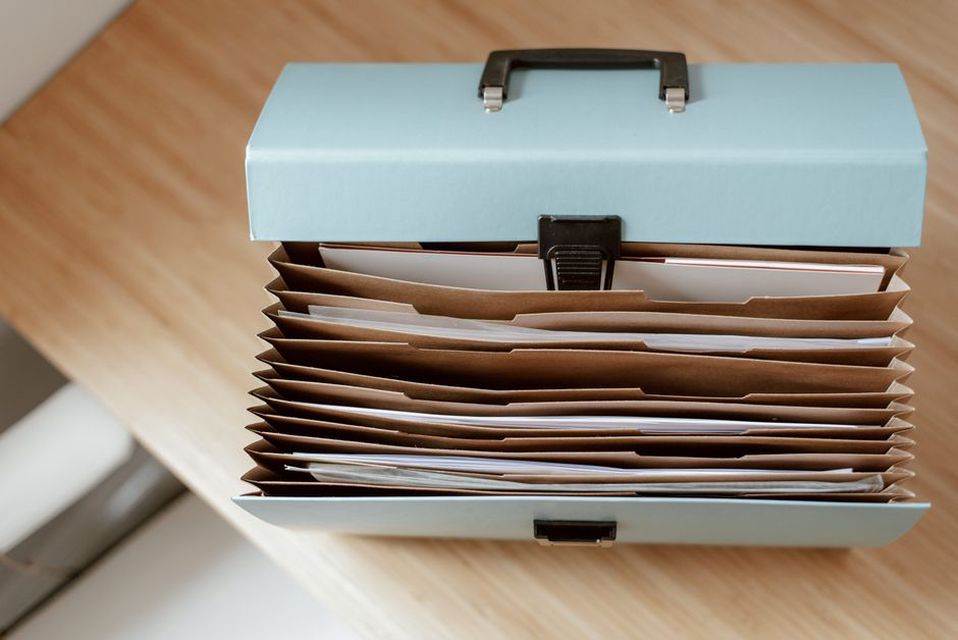
Give each paper one of four jobs
Sort incoming paper according to what needs to happen next. Most household documents fit one of four destinations:
- Act: A decision, payment, reply, signature, or appointment is pending. Put the paper in an action folder or tray, and add its due date to your calendar.
- File: The matter is complete, but you may need the document again. A current insurance policy or paid repair invoice belongs in a reference folder.
- Secure: The paper is hard to replace or contains especially sensitive information. Store it in a protected location suited to the item.
- Discard: Nothing needs to be done, and there is no useful reason to keep it. Recycle ordinary paper; shred anything containing sensitive personal or account information.
A paper’s job can change. A medical bill may sit in Act until you pay it, move to File afterward, and eventually be discarded under your retention rules. Moving it out of Act is part of finishing the task. Otherwise, completed work gets mixed up with obligations still waiting for you.
Read the contents before sorting. An envelope marked “important” may hold an advertisement; a plain one may contain a renewal notice. Keep attachments with the letter they explain, and record any deadline before setting the paper aside.
Build a small reference file
Start with broad labels. They are easier to use than dozens of narrow categories, and you can split a crowded folder later. Possible starting points include:
- Home: lease or mortgage records, property information, major repairs, and appliance documents
- Money: banking, loan, and other financial records you need to retain
- Insurance: current policies and related correspondence
- Health: records, bills, and explanations of benefits you have chosen to keep
- Vehicle: registration copies, service records, and purchase or sale paperwork
- Taxes: records needed for the relevant tax year
- People: school, employment, or other personal records, divided by person when useful
Use only the categories that fit. Skip Vehicle if you have no car. If you run a business from home, keep its records separate from household finances so receipts do not drift between the two.
Inside each folder, choose the simplest order that helps you find things. Newest first works well for recurring statements and letters; subfolders by year can help with taxes or repairs. Use the words you would look for: “Car” may make more sense in your household than “Vehicle.” Give each document one filing location. If it could fit in two places, file it in one and leave a short cross-reference note in the other.
For example, a paid plumbing invoice could go under Home → Repairs. If you may need it for an insurance claim, note its location with the claim papers rather than routinely keeping duplicate copies. You will know where the original is.
Keep irreplaceable documents separate
Birth certificates, passports, property deeds, wills, and similar originals should not sit among routine statements. Consider a fire-resistant container or another protected place that suits your circumstances, and limit access. Some papers also need to be available quickly, so think about that before locking them away. Before taking a document to an institution, check whether it needs the original, a certified copy, or just information from the document.
Keep a brief inventory of where important originals are stored, but do not put passwords or sensitive identification numbers on a sheet anyone can see. Make sure the people who may need wills or other legal papers know how to find the originals. Legal requirements and storage options vary by location.
Make the action folder drive the calendar
A folder cannot remind you that a deadline is near. When a paper needs attention, put the due date in a calendar or reminder system you already use. Include the task and where to find the document: “Pay water bill—paper in Act.” Even if you usually pay bills when they arrive, a calendar reminder gives you a backup.
The deadline and the day you plan to work on the task are not always the same. If a form is due Friday, a Tuesday reminder leaves time to gather information or mail it. For recurring tasks such as policy renewals, read the current notice rather than assuming the deadline falls on the same date each year.
Keep a pen near the inbox. Once you have completed a task, note the date or confirmation number on the paper if it might matter later. Then file or discard it. Do not return it to Act while you decide whether to keep it.
Decide what to keep before the folders fill up
No single retention period covers every household paper. What you need to keep depends on your location, tax situation, insurance terms, and the kind of record. Ask a few questions instead of applying one blanket timeline:
- Is it current? Keep the version of a policy, contract, instruction, or registration you may need now.
- Does it support a transaction or claim? A receipt or invoice may matter while a return period, warranty, insurance claim, dispute, or tax question remains open.
- Is it needed for a legal or tax obligation? Follow the requirements for that record and your jurisdiction. If you are unsure, check official guidance or ask a qualified professional.
- Could you get it again? An online copy may be easy to retrieve today, but access can change if an account closes or a provider changes.
Keep major-purchase records with their warranties for as long as they are useful. For home improvements, distinguish substantial work from everyday shopping receipts; documentation of improvements can matter later. Hold on to records tied to an unresolved dispute until the matter is settled and any applicable recordkeeping period has passed.
Before disposing of an old insurance policy or utility agreement, check whether it relates to a past claim, billing dispute, or other open matter. If it does not, dispose of it securely. Write your household’s retention decisions on a short note kept with the files, and revisit them when circumstances change. That saves you from making the same judgment every time you open a folder.
Use digital copies where they help, not everywhere
A scan or clear phone image can make a record easier to find or share. Scanning every piece of mail, though, can create a second backlog. Start with documents you need away from home, papers that are awkward to store, or records supporting an ongoing matter. Do not throw away an original just because you scanned it: some organizations and legal processes require an original or certified document.
Name digital files so you can identify them without opening them. A format such as YYYY-MM-DD_description_name sorts by date and is easy to read: 2025-04-18_water-heater-repair_invoice.pdf. Use either the document date or transaction date consistently. Where practical, scan a multi-page record into one file, then check every page for legibility and missing edges.
Digital folders should stay simple too. A top-level Household folder with Home, Insurance, Health, and Taxes beneath it may be enough. Match your paper labels where you can, so you are not remembering two filing systems. Store sensitive files in an account or on a device with appropriate access controls, and keep a backup. An unprotected photo library or shared family folder may not be suitable for identification, health, or financial records.
Text recognition can make scans searchable, but faded print, unusual layouts, and handwriting can trip it up. Use search to find the page, then open it and check any amount, date, or account detail against the image.

Make the system workable for everyone who uses it
If several people handle the mail, agree on what goes into the shared inbox and who checks it. Private correspondence need not go into a common tray. Shared bills, lease notices, and household insurance letters do need an agreed destination, even when addressed to one person.
Use plain labels and keep folders accessible to the people responsible for them. Someone else should be able to find a policy number or paid invoice without having to ask you. For uncertain cases, a short index inside the file-box lid can help: “Appliance repairs → Home,” “Tax forms → Taxes.” Leave sensitive account details off the index.
When children, older relatives, or anyone who needs support are involved, decide together which paperwork tasks to share and which records stay private. Small accessibility choices can matter more than another folder: large-print labels, a clear work surface, or digital files that work with assistive technology.
Set a short review rhythm
Choose a regular time to empty the inbox and check Act. Weekly works for many households; review more often if time-sensitive requests arrive frequently. Open mail, record deadlines, handle quick tasks, and move completed papers to File, Secure, or Discard. If a task needs more time, schedule it rather than leaving it unnamed in the tray.
Every few months, see whether any folder has become hard to search. Split a category only if it is causing trouble. Once a year, review older files against your retention decisions and securely dispose of what you no longer need. Check that your digital backups still open, too, and that another household member could find essential documents if necessary.
For your first review, take one current bill from the inbox. Add its due date and your planned payment date to the calendar. Leave it in Act until you pay it, record the confirmation if you may need it, then file or discard it under your household’s rules. If any of those steps feels awkward, adjust the system while the example is fresh.