
In early 2004, when the organisers of the Pattern Recognition Association of South Africa (PRASA) symposium prepared their annual call for papers, they did not send out a Word document or a PDF. Instead, they opened a plain text editor and wrote a single HTML file named cfp.html. That file, hosted on a university server at a URL like www.cs.uct.ac.za/~prasa/cfp.html, became the primary channel for disseminating submission deadlines, topic lists, and formatting requirements. It was not a template from a conference management system — it was hand-coded, line by line, by a researcher who also happened to be the webmaster. Here's what those early HTML call-for-papers pages looked like, and why they mattered for the pattern recognition and speech technology communities this blog covers.
Why HTML? The Shift from Print to Pixel
Before the mid-2000s, calls for papers were distributed through mailing lists, printed flyers at conferences, and plain-text emails. The transition to HTML was gradual but driven by two forces: the increasing reliability of web browsers and the desire to include hyperlinks to related resources — past proceedings, author kits, registration forms. An HTML CfP could embed a direct link to the conference's program committee page, the hotel booking site, or the LaTeX template package. For researchers in low-resource language communities, where postal delays and limited access to printed materials were common, a lightweight HTML page that loaded quickly even on dial-up connections was a lifeline.
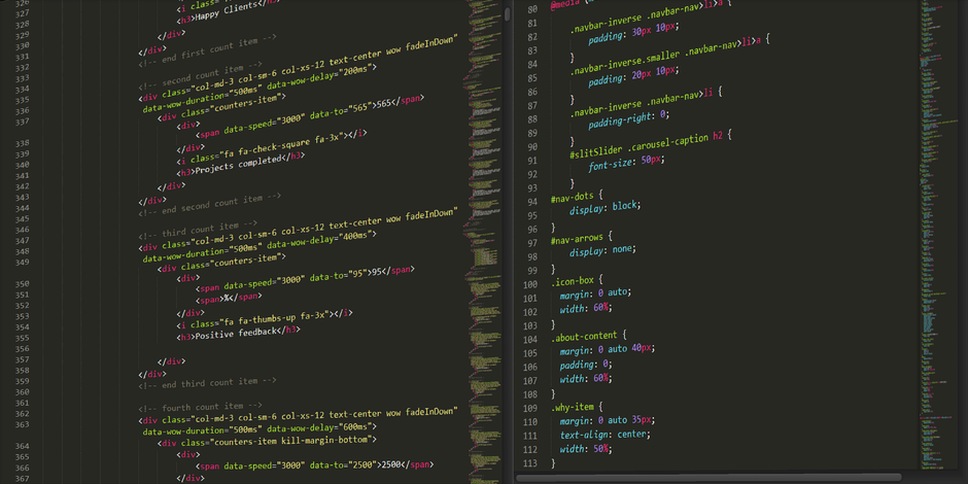
A typical mid-2000s CfP HTML page contained the following sections, often marked up with <h2> and <h3> tags:
- Conference title and acronym — usually the first
<h1>on the page, sometimes accompanied by a small GIF logo. - Important dates — a table with rows for submission deadline, notification date, camera-ready deadline. The dates were hard-coded, not dynamically generated.
- Topics of interest — a bullet list of research areas, often copied from the previous year's CfP and updated by hand.
- Submission instructions — typically a paragraph describing the page limit, format (PDF only, or PostScript), and the submission system (often email to the program chair).
- Contact information — an email address and sometimes a phone number. The
mailto:link was the most common interactive element. - Venue and accommodation — a short description of the city, the hotel name, and a link to a map (if Google Maps was available, otherwise a static image).
The Structure of a Hand-Coded CfP
Because these pages were written by researchers with varying levels of web design skill, the HTML was often minimal. Tables were used for layout — a row for the banner, a row for the navigation, a row for the content. CSS was rarely used; if it appeared, it was inline or a single <style> block. The doctype was either HTML 4.01 Transitional or XHTML 1.0, chosen based on the author's familiarity. The result was a page that rendered consistently across Netscape 4, Internet Explorer 5, and early Mozilla Firefox — a necessity given the diversity of browsers in academic labs.
The PRASA 2004 archive preserves one such CfP. Its HTML source reveals a table with a width of 750 pixels, a background color of #FFFFCC, and a marquee tag (now deprecated) for the announcement of an extended deadline. Such quirks are a reminder that the web was still a place of experimentation. The CfP did not just inform — it also signalled the conference's technical culture. A page with clean semantic markup suggested an organising committee that valued clarity; a page cluttered with blinking text suggested a more informal, perhaps younger, team.
Metadata and Search Engine Visibility
Mid-2000s CfP authors were acutely aware that their page needed to be found by Google. They would manually add <meta name="keywords"> tags containing phrases like "call for papers", "pattern recognition", "speech processing", and the year. The <title> tag was often a verbose string: "PRASA 2004 Call for Papers — Pattern Recognition Association of South Africa". This was not SEO in the modern sense — it was simple keyword stuffing, but it worked. Researchers searching for "CfP speech recognition 2004" would land on the page.

Low-Resource Language Communities and the CfP HTML
For conferences focused on low-resource languages — such as the 3rd Contacts Workshop on low-resource speech technology — the HTML CfP played a special role. The page could be quickly translated into a local language by simply editing the text between the tags and re-uploading. Several workshops maintained parallel CfP pages in English and, say, Afrikaans or isiZulu. The simplicity of the format meant that a researcher with basic HTML skills could create a mirror site on a local server, reducing bandwidth costs for colleagues in regions with slow internet.
The John Morkel and the 3rd Contacts Workshop page on this blog documents how a small organising committee used a hand-coded HTML CfP to attract submissions from African universities. The page listed topics like "noise-robust speech recognition" and "contact microphone arrays" — specific enough to signal the workshop's niche, yet broad enough to invite interdisciplinary work. The CfP also included a link to a separate page with author guidelines, another common practice.
From CfP to Proceedings: The Lifecycle of a Conference
The call for papers was often the first HTML page created for a conference. Later, the same file would be updated with a link to the program, the proceedings, and eventually the archive. In many cases, the original cfp.html remained online for years, serving as a historical record. The PRASA symposia, for instance, kept their CfP pages live long after the event, and they now form part of the digital archive that researchers use to trace the evolution of pattern recognition topics.
Comparing CfP pages from 2002 and 2006 reveals shifts in research priorities: early pages emphasised neural networks and hidden Markov models; later ones added "computer vision", "biometrics", and "medical image analysis". The HTML structure remained remarkably stable, though — a testament to the conservatism of academic web publishing.
What We Lose When CfPs Become Automated
Today, most conferences use platforms like EasyChair or OpenReview that generate CfP pages dynamically. The pages are uniform, responsive, and accessible, but they erase the local character of the event. The mid-2000s CfP page was a personal artifact: the choice of font colour, the inclusion of a photo of the venue, the occasional broken link to a map. These pages tell a story of how a community organised itself before the era of standardised conference management. For the historian of technology, they are primary sources as valuable as the proceedings themselves.
The PRASA 2004 CfP page, with its marquee tag and #FFFFCC background, is still accessible on the Wayback Machine. It's a reminder that before conference management systems standardized everything, a researcher with a text editor could announce an event to the world. That simplicity is worth preserving — even if only in the archives.